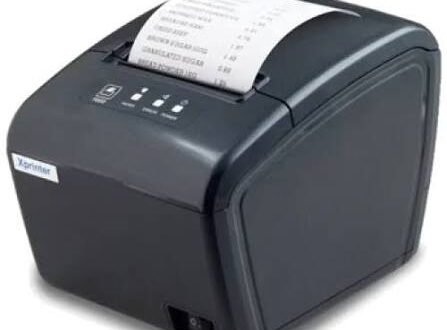
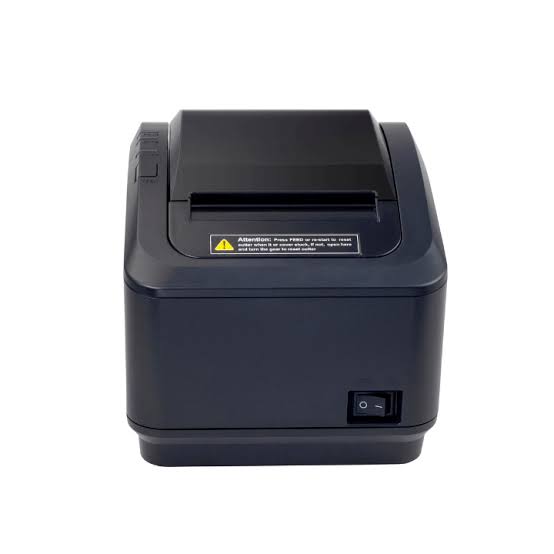
Thermal printers are widely used in retail, logistics, healthcare, manufacturing, hospitality, and other industries that require fast and consistent document or label printing. From producing checkout receipts to generating shipping labels and product identification tags, these devices support many essential business operations. Their reliability depends not only on the printing technology but also on the engineering, materials, assembly, and quality control processes involved in manufacturing.
A professional Thermal Printer Manufacturer typically follows a structured process that transforms an initial product concept into a finished device ready for commercial use. This process involves market research, mechanical and electronic design, component selection, prototype development, testing, assembly, and final inspection. Understanding these stages helps businesses evaluate manufacturing capabilities and recognize the factors that influence printer quality and performance.
1. Market Research and Product Planning
The manufacturing process usually begins with identifying market requirements and defining the intended purpose of the printer.
Different industries have different printing needs. Retail businesses may prioritize fast receipt printing, while warehouses require accurate barcode and shipping label production. Healthcare facilities may need specialized printers for patient identification and laboratory labels.
Manufacturers analyze several factors during the planning stage:
- Target industries and applications
- Expected printing volume
- Required print speed and resolution
- Paper and label specifications
- Connectivity requirements
- Operating environment
- Target product cost
- Relevant safety and compliance requirements
This research helps establish the product specifications and provides a foundation for the design process.
2. Defining Product Specifications
After identifying customer requirements, engineers and product development teams prepare detailed technical specifications.
These specifications describe how the printer should function and what components or features it needs.
Important specifications may include:
Printing technology: Whether the product will use direct thermal or thermal transfer printing.
Print resolution: Common options include 203 DPI and 300 DPI, depending on the required image detail.
Print speed: The expected rate at which the device can produce receipts or labels.
Printing width: The maximum media width supported by the printer.
Connectivity: Interfaces such as USB, Ethernet, Bluetooth, Wi-Fi, or serial connections.
Media compatibility: Supported paper rolls, label materials, and ribbon types where applicable.
Operating conditions: Expected temperature, humidity, and usage requirements.
Clear specifications help engineering teams maintain consistency throughout product development.
3. Mechanical Design and Product Structure
Mechanical design determines the physical construction and internal arrangement of the printer.
Engineers consider the placement of the printhead, paper roll, rollers, cutting mechanism, control buttons, circuit boards, and housing.
The design must allow the printer to operate smoothly while remaining practical to use and maintain.
Several considerations influence mechanical development:
- Compact and space-efficient construction
- Convenient paper loading
- Stable paper feeding
- Suitable ventilation and heat management
- Accessible maintenance points
- Housing strength and durability
- Safe movement of internal mechanisms
Computer-aided design software can help engineers develop detailed product models and examine how different components fit together before physical production begins.
4. Electronic System Design
Thermal printers depend on electronic systems to control printing operations, communication, and other device functions.
The electronic design typically includes a main control board, power management components, communication interfaces, sensors, and circuits that operate the printhead and mechanical systems.
Engineers determine how these components should work together to deliver consistent printing performance.
The design must also account for power requirements, signal stability, electrical protection, and compatibility with the selected hardware.
Careful electronic engineering helps reduce operational errors and supports dependable communication between the printer and connected devices.
5. Selecting the Right Components and Materials
Component selection is one of the most important stages in thermal printer manufacturing. The quality and compatibility of individual parts influence performance, durability, and maintenance requirements.
Common components include:
| Component | Main function |
|---|---|
| Thermal printhead | Applies heat to produce text and images |
| Main control board | Manages printer operations |
| Motor | Drives paper-feeding mechanisms |
| Platen roller | Supports media movement during printing |
| Cutter mechanism | Cuts receipts or labels in compatible models |
| Sensors | Detect paper position, cover status, or media conditions |
| Power supply | Provides electrical power |
| Housing | Protects internal components |
Manufacturers must evaluate component specifications, supplier reliability, availability, and cost.
Housing materials and internal mechanical parts should also be selected according to the printer’s intended application and expected operating conditions.
6. Developing the Printing Mechanism
The printing mechanism is central to a thermal printer’s operation.
In direct thermal printing, the printhead applies controlled heat to specially coated paper. The heated areas change color, producing the required text or image.
In thermal transfer printing, heat transfers ink from a ribbon onto compatible label material.
The printing mechanism must maintain accurate contact between the printhead and media. Paper movement, pressure, temperature control, and printhead alignment all affect the final output.
Engineers test these elements to achieve consistent printing quality and minimize issues such as incomplete images, uneven darkness, and media misalignment.
7. Firmware and Software Development
Hardware must work with firmware and software to provide the expected printing functions.
Firmware controls important operations such as printhead activation, paper feeding, sensor responses, communication, and error handling.
Manufacturers may also develop configuration utilities, printer drivers, and software development tools to support integration with external systems.
Software development can involve:
- Printer command language support
- Operating system compatibility
- USB and network communication
- Bluetooth and wireless connectivity
- Barcode and graphics processing
- Error reporting
- Firmware update functions
Good software support helps businesses connect printers with POS applications, inventory platforms, shipping systems, and other business software.
8. Prototype Development
Once the initial mechanical, electronic, and software designs are ready, manufacturers develop prototypes.
A prototype is an early physical version of the printer used to evaluate the design before mass production.
It allows engineers to examine how the selected components work together and identify problems that may not appear in computer simulations.
Prototype evaluation may focus on:
- Overall product dimensions
- Component arrangement
- Paper-loading convenience
- Printing consistency
- Connectivity performance
- Mechanical stability
- Heat management
- User interaction
Feedback from engineers, testers, and potential customers can lead to design adjustments before the product moves to the next development stage.
9. Functional and Performance Testing
Testing helps determine whether the prototype meets its technical requirements.
Manufacturers conduct different tests depending on the printer category and intended application.
Common evaluation areas include print quality, speed, paper feeding, cutting performance, barcode readability, and communication stability.
Testing may also include repeated operating cycles to identify potential weaknesses in mechanical components.
For models intended for demanding environments, manufacturers may evaluate performance under specified temperature, humidity, and workload conditions.
The purpose is to identify problems early and improve the product before large-scale production begins.
10. Design Improvements and Final Approval
Prototype testing often reveals opportunities to improve product performance, construction, or usability.
Engineers may adjust the housing, replace unsuitable components, refine the paper path, or update firmware.
For example, if testing identifies inconsistent paper movement, the engineering team may review roller design, motor control, or mechanical alignment.
After necessary modifications, the updated product undergoes another round of evaluation.
The design is approved for production when it meets the established requirements and relevant verification procedures.
11. Preparing the Production Line
Before mass production begins, manufacturers organize the production line and prepare the necessary equipment, tools, materials, and work instructions.
Production planning involves determining assembly sequences, labor requirements, inspection points, and expected output.
Manufacturers may use standardized workstations to perform tasks such as:
- Housing preparation
- Circuit board installation
- Mechanical assembly
- Printhead installation
- Cable connections
- Firmware loading
- Functional testing
- Final packaging
An organized production line helps reduce assembly errors and maintain consistency across different manufacturing batches.
12. Component Inspection and Incoming Quality Control
Quality control begins before the printer is assembled.
Manufacturers inspect incoming components to verify that they meet the required specifications. This may involve checking dimensions, electrical characteristics, appearance, and compatibility.
Components that fail inspection should be identified and managed according to the manufacturer’s quality procedures.
Incoming inspection is important because defective or unsuitable parts can affect the performance of the finished printer.
Maintaining supplier quality records can also help manufacturers monitor component consistency and address recurring sourcing problems.
13. Printer Assembly
After component inspection, the manufacturing process moves to assembly.
Technicians or automated equipment combine the mechanical, electronic, and structural components according to approved work instructions.
The assembly sequence varies by printer design, but it commonly includes:
- Preparing the housing and internal frame.
- Installing the main control board.
- Fitting the motor and paper-feeding mechanism.
- Installing the printhead and associated connections.
- Adding sensors and other electronic components.
- Connecting the power and communication interfaces.
- Securing the outer casing.
- Checking the assembled unit.
Accurate assembly is important because incorrect component placement or loose connections can lead to printing problems and equipment failure.
14. Firmware Installation and Printer Configuration
After hardware assembly, the printer may undergo firmware installation and configuration.
The firmware is loaded onto the device’s control system, and technicians verify that the basic functions operate correctly.
Configuration may involve setting communication parameters, printing modes, media specifications, and other supported features.
Manufacturers may also configure different versions of the same product for particular customer requirements or regional markets.
Proper configuration helps ensure that the finished printer is ready for functional testing and integration with compatible systems.
15. Final Quality Control and Inspection
Final inspection verifies that the assembled printer meets the required product specifications.
A quality control team may examine the printer’s physical condition, printing performance, communication functions, and mechanical operation.
Common final inspection checks include:
- Print clarity and image consistency
- Paper feeding and cutting performance
- Barcode readability where applicable
- Connectivity and interface operation
- Button and indicator functions
- Sensor responses
- Housing condition
- Power operation
- Packaging completeness
The inspection process helps identify defects before products are released for shipment.
16. Packaging and Product Documentation
Packaging protects printers during storage, handling, and transportation.
Manufacturers select packaging materials according to the product’s dimensions, weight, and shipping requirements.
A typical package may include the printer, power adapter, cables where applicable, installation instructions, and other accessories specified for the model.
Product documentation is also important. User manuals should explain installation, media loading, configuration, routine maintenance, and troubleshooting.
For customized or OEM products, packaging and documentation may be developed according to the customer’s branding and distribution requirements.
17. Shipping and Distribution
After inspection and packaging, finished printers are prepared for distribution.
Manufacturers coordinate order quantities, shipping schedules, export documentation where required, and transportation arrangements.
For international orders, buyers and suppliers should clarify shipping terms, customs responsibilities, packaging standards, and estimated delivery times.
Reliable shipment planning helps businesses receive equipment according to their procurement schedules and reduces the risk of avoidable delays.
18. The Importance of Continuous Improvement
Thermal printer manufacturing does not end when products leave the production facility.
Manufacturers can use customer feedback, warranty data, service reports, and production inspection records to identify opportunities for improvement.
Continuous improvement may involve:
- Updating product designs
- Improving component reliability
- Refining assembly procedures
- Reducing manufacturing waste
- Enhancing firmware
- Improving testing methods
- Developing new connectivity options
These improvements help manufacturers respond to changing market requirements and maintain product consistency.
19. How Technology Is Changing Thermal Printer Manufacturing
Manufacturing technology continues to influence how thermal printers are designed and produced.
Automation can improve the consistency of repetitive assembly and inspection tasks. Computer-aided design tools help engineers refine product structures, while digital production systems can improve manufacturing coordination.
Other developments include:
Automated inspection: Suitable testing equipment can help identify assembly and functional defects more consistently.
Improved electronics: More capable control systems can support advanced connectivity and printer functions.
Wireless integration: Bluetooth and Wi-Fi options support mobile and network-based printing applications.
Cloud compatibility: Connected software platforms can make printer management more flexible.
Sustainable production: Manufacturers can explore material efficiency, reduced packaging, and longer-lasting components.
The adoption of these technologies depends on product requirements, production investment, and the manufacturer’s technical capabilities.
20. What Buyers Should Evaluate in a Thermal Printer Manufacturer
Understanding the manufacturing process helps businesses ask more informed questions when evaluating potential suppliers.
Before placing an order, consider reviewing the following areas:
| Evaluation factor | What to verify |
|---|---|
| Product design | Engineering and development capabilities |
| Components | Quality and compatibility of internal parts |
| Production | Assembly processes and manufacturing capacity |
| Testing | Functional and performance inspection procedures |
| Software | Drivers, firmware, and integration support |
| Customization | OEM/ODM services and design flexibility |
| Quality assurance | Inspection standards and documentation |
| After-sales service | Warranty, technical assistance, and spare parts |
| Delivery | Production lead times and shipping arrangements |
Businesses should also request samples and test products under realistic operating conditions. This provides a practical way to assess whether the manufacturer’s equipment meets their requirements.
Conclusion
The thermal printer manufacturing process involves several connected stages, beginning with market research and product planning and continuing through engineering, component selection, prototype development, assembly, testing, and distribution. Each stage contributes to the final printer’s performance, reliability, and suitability for its intended application.
For businesses evaluating manufacturing partners, understanding these processes makes it easier to assess product quality and technical capabilities. A supplier with structured production procedures, reliable components, effective quality control, and responsive support can help organizations establish a dependable printing infrastructure. Careful evaluation before purchasing can also reduce operational risks and support long-term business requirements.