Managing operating expenses is an important priority for small businesses. Retail shops, cafés, restaurants, pharmacies, and service providers regularly print receipts, order records, tickets, and other transaction documents. Although each print job may seem inexpensive, recurring costs associated with ink, toner, maintenance, and equipment replacement can gradually affect a business’s budget.
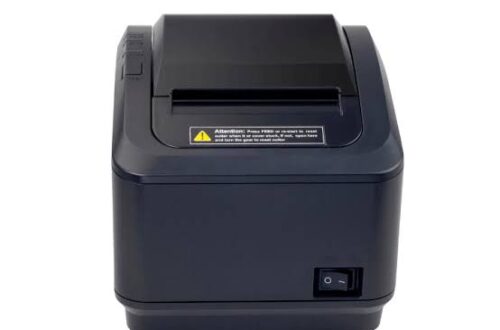
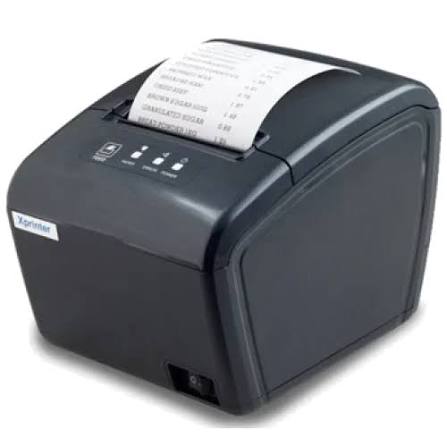
Thermal printing offers an alternative to traditional printing methods by using heat to produce text and images on compatible materials. For businesses evaluating ways to simplify their printing operations, an Xprinter Thermal Printer may be worth considering when its specifications match their daily requirements. Understanding how thermal printing works and where savings can occur helps small business owners make more informed purchasing decisions.
1. Eliminating the Need for Ink and Toner
One of the main cost advantages of direct thermal printing is that it does not require traditional ink cartridges or toner. Instead, the printer uses a heated printhead to activate the coating on specially designed thermal paper.
For small businesses that print receipts throughout the day, removing ink and toner purchases can simplify supply management.
This can provide several practical benefits:
- Fewer consumables to purchase and store.
- Less time spent replacing cartridges.
- Reduced risk of running out of ink during busy periods.
- Simpler routine printing procedures.
- More predictable supply requirements.
However, businesses should distinguish between direct thermal and thermal transfer printers. Thermal transfer models use ribbons, so their consumable requirements are different.
2. Reducing Routine Maintenance Expenses
Traditional printers may require regular maintenance related to ink delivery systems, toner components, and other mechanisms. Direct thermal printers generally have a simpler printing process because they do not use liquid ink or toner.
This can make routine maintenance more straightforward for businesses with frequent receipt-printing needs.
Common maintenance activities include cleaning the printhead, inspecting the platen roller, removing paper debris, and checking the paper-feeding mechanism. Following the manufacturer’s instructions helps prevent avoidable problems and supports consistent output.
Although thermal printers still contain components that can wear out, a suitable model and proper maintenance routine may help reduce unnecessary servicing expenses.
3. Supporting Faster Checkout Operations
Time is an important business resource, especially for small retailers and restaurants with limited staff. Slow receipt printing can interrupt transactions and increase waiting times during busy periods.
Thermal printers are designed to produce printed output quickly, making them useful for many point-of-sale applications.
Faster receipt production can help small businesses:
- Complete transactions more efficiently.
- Keep checkout lines moving.
- Reduce delays between customer orders.
- Improve employee workflow.
- Handle busy periods with fewer printing interruptions.
The actual time savings depend on printing speed, transaction volume, receipt length, and POS system performance. Businesses should compare rated speeds and test equipment under realistic operating conditions.
4. Using Paper More Efficiently
Thermal printing still requires paper, so managing paper consumption is an important part of controlling costs. Businesses can reduce unnecessary usage by configuring receipt layouts carefully and avoiding excessive blank spaces.
For example, POS software may allow users to adjust margins, remove unnecessary promotional content, and shorten redundant transaction information where legally and operationally appropriate.
Useful paper-saving practices include:
- Selecting an appropriate receipt width.
- Using compact receipt templates.
- Avoiding unnecessary blank lines.
- Reviewing automatic feed settings.
- Training employees to prevent repeated test prints.
- Printing only the information customers need.
Small adjustments can make a difference when a business processes hundreds or thousands of transactions each month.
5. Choosing a Printer That Matches Business Volume
Buying a printer with more capacity than necessary can increase initial expenses, while selecting an unsuitable low-capacity model may lead to frequent interruptions or early replacement.
Small businesses should estimate their average daily printing volume before purchasing equipment.
A low-volume shop may have different requirements from a busy supermarket or restaurant. Relevant factors include the number of transactions, average receipt length, operating hours, and peak-period workload.
Choosing equipment according to actual demand helps balance purchase price, performance, and long-term operating expenses.
6. Lowering Equipment and Workspace Requirements
Many small businesses operate from compact premises where counter space is limited. A bulky printer can make checkout stations harder to organize and may require additional adjustments to the workspace.
Compact thermal receipt printers can fit into many retail counters, reception desks, and restaurant service areas.
A smaller workstation footprint may also help businesses organize other equipment, such as payment terminals, cash drawers, and POS monitors, more efficiently.
Before purchasing, owners should compare printer dimensions, paper compartment access, cable placement, and installation requirements.
7. Simplifying Supply Management
Managing different printing supplies can become inconvenient for businesses with limited storage space. Traditional printers may require several ink or toner products, depending on the equipment and printing requirements.
Direct thermal receipt printers primarily require compatible thermal paper rolls. This can simplify purchasing and inventory management.
Business owners can improve supply control by:
- Identifying the correct paper width and roll diameter.
- Checking supplier availability before selecting a printer.
- Monitoring average monthly paper consumption.
- Keeping a reasonable supply of replacement rolls.
- Storing paper in a cool, dry environment away from direct sunlight.
Reliable paper availability is particularly important for businesses that depend on continuous transaction printing.
8. Reducing Downtime at Point-of-Sale Counters
Printing interruptions can create operational problems when employees cannot provide receipts or complete other paper-based tasks. Delays may require staff to troubleshoot equipment, switch workstations, or use alternative procedures.
A printer that matches the business’s workload and software environment can help reduce avoidable downtime.
Before purchasing, small businesses should review:
- Compatibility with their POS system.
- Supported operating systems.
- Available printer drivers.
- Connection interfaces.
- Paper-loading design.
- Warranty and technical support.
A printer with suitable connectivity and straightforward setup can reduce configuration difficulties and make everyday operation easier.
9. Supporting Different Small Business Applications
Thermal printing is not limited to traditional retail receipts. Depending on the model and printing technology, small businesses can use thermal printers for several operational tasks.
Retail shops: Produce purchase receipts, transaction summaries, and payment records.
Restaurants and cafés: Print customer bills, kitchen orders, and service-related documents.
Pharmacies: Generate suitable transaction receipts and other compatible printed records.
Small warehouses: Use appropriate thermal label printers for inventory identification and package labeling.
Service providers: Print invoices, payment confirmations, and customer transaction records.
Choosing a model designed for the intended application helps prevent unnecessary equipment purchases and improves resource utilization.
10. Avoiding Unnecessary Printing Features
Printers with advanced features can be useful, but not every small business needs every available function. Purchasing features that do not support actual operations can increase the initial investment without producing meaningful savings.
For example, a small shop that only prints receipts may not need advanced label-handling capabilities or wireless connectivity if its existing POS system uses a stable USB connection.
Before buying, identify which features are essential and which are optional.
A practical comparison should include printing speed, resolution, paper compatibility, connectivity, automatic cutting, and software support. Selecting the right combination can help keep equipment costs under control.
11. Considering Long-Term Ownership Costs
A low purchase price does not always indicate the most economical printer. Businesses should consider the total cost of ownership over the equipment’s expected working life.
Important cost factors include:
| Cost category | What small businesses should review |
|---|---|
| Initial purchase | Printer price and included accessories |
| Printing supplies | Thermal paper or transfer ribbons, where applicable |
| Maintenance | Cleaning, servicing, and replacement components |
| Repairs | Potential costs of damaged printheads or cutters |
| Connectivity | Required cables or network accessories |
| Support | Warranty conditions and technical assistance |
For direct thermal receipt printers, eliminating ink and toner can reduce certain recurring expenses. However, paper consumption, maintenance, and component replacement still contribute to the overall cost.
12. Improving Employee Productivity
Small businesses often operate with limited staffing, so reducing repetitive tasks can make daily operations more manageable.
Thermal printers can simplify receipt production through straightforward paper loading and relatively simple printing procedures. Employees may spend less time handling ink or toner supplies and more time assisting customers.
Training staff to load paper correctly, recognize common errors, and perform basic cleaning can also prevent avoidable interruptions.
A well-organized printing process supports smoother work at checkout counters and service stations.
13. Connecting Printing Equipment with Existing Systems
A printer that does not work properly with existing business software can create additional expenses. Owners may need technical assistance, configuration changes, or even replacement equipment if compatibility problems are discovered too late.
Before buying, confirm that the printer supports the intended POS software and operating system.
Check whether the model offers the necessary USB, Ethernet, Bluetooth, or serial connection. Also review the available drivers and supported printing command languages.
Testing a sample unit with the actual business system can help identify potential issues before purchasing printers for multiple locations.
14. Extending Printer Service Life Through Proper Care
Replacing equipment too frequently can increase long-term business expenses. Although every printer has a limited service life, appropriate handling and maintenance can help preserve its performance.
Small businesses can support longer equipment use by following a consistent maintenance routine.
Recommended practices include:
- Cleaning the printhead as instructed.
- Removing paper dust from the paper compartment.
- Using compatible thermal paper.
- Avoiding excessive pressure when closing the printer cover.
- Keeping liquids away from the equipment.
- Protecting the printer from excessive heat and dust.
- Following the recommended operating conditions.
Employees should also report unusual sounds, repeated paper jams, or inconsistent printing rather than continuing to operate a potentially damaged device.
15. Calculating Potential Printing Savings
Small businesses can estimate potential savings by comparing their current printing expenses with the expected costs of a thermal printing setup.
For example, a business currently using a traditional printer may spend money on ink or toner, paper, and maintenance. A direct thermal receipt printer removes ink and toner from the equation but introduces or retains expenses related to thermal paper and equipment upkeep.
A basic comparison can include:
Current printing expenses:
- Ink or toner purchases.
- Paper supplies.
- Maintenance and servicing.
- Equipment replacement.
Expected thermal printing expenses:
- Thermal paper rolls.
- Routine cleaning and maintenance.
- Replacement parts when needed.
- Initial printer investment.
The results will vary according to printing volume, paper prices, equipment durability, and existing printer costs. Using actual monthly figures provides a more reliable estimate than assuming every business will achieve the same level of savings.
Conclusion
Controlling printing expenses can help small businesses manage their budgets and improve daily operations. Direct thermal printers offer several potential advantages, including eliminating ink and toner purchases, simplifying supply management, supporting faster receipt production, and reducing some routine maintenance requirements.
However, real savings depend on choosing equipment that matches the business’s printing volume, software, and application. Owners should also account for thermal paper, maintenance, and replacement costs when evaluating long-term value.
By comparing total ownership expenses and maintaining equipment properly, small businesses can build a more efficient printing process while keeping unnecessary operating costs under control.