


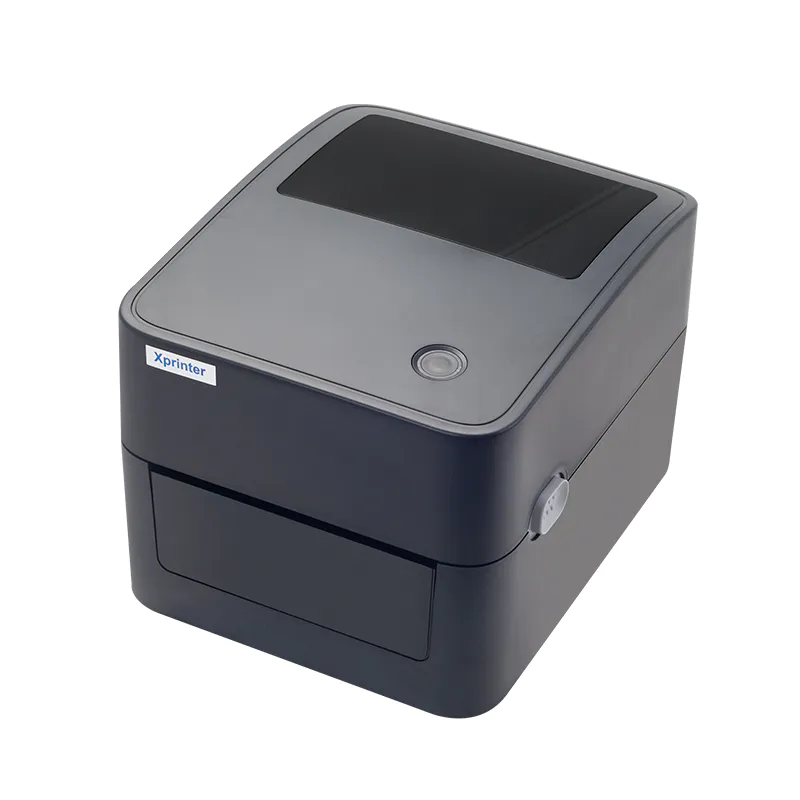
Choosing a label printer size may seem straightforward until you start comparing label widths, print areas, and the type of information you need to put on each label. A printer that works well for small product stickers may not suit shipping labels or larger packaging.
An Xprinter label printer can come in different size categories, with 2-inch, 3-inch, and 4-inch formats covering many common labeling needs. Understanding the differences helps you choose a suitable printer instead of buying based only on the physical size of the machine.
What Does Label Printer Size Mean?
When people refer to a 2-inch, 3-inch, or 4-inch label printer, they generally mean the approximate maximum printing width or supported media width. It does not necessarily describe the overall dimensions of the printer.
The actual printable area can vary between models. You should always check the manufacturer’s specifications for supported media width, maximum print width, and compatible label sizes.
2-Inch Label Printers
A 2-inch label printer suits applications that require compact labels. These printers work well when you only need a limited amount of information on each label.
Common uses include:
- Small product labels
- Price stickers
- File and folder labels
- Shelf identification
- Small barcode labels
- Name tags
- Organization labels
A smaller print width also makes sense when space on the product or package remains limited. You do not need a larger printer simply to produce a small sticker.
When Should You Choose 2-Inch?
Choose a 2-inch option when your labels mainly contain short text, compact barcodes, prices, or basic identification information.
It may not suit applications where you need long addresses, large barcodes, multiple lines of information, or larger graphics.
3-Inch Label Printers
A 3-inch label printer sits between compact labeling and wider-format printing. It gives you more room than a 2-inch model without necessarily requiring the larger footprint associated with some 4-inch printers.
This size can work well for:
- Product identification
- Medium-sized barcode labels
- Retail labels
- Packaging information
- Inventory labels
- Address labels
- Small shipping applications
The extra width gives you more flexibility when combining text and barcodes on the same label.
Why Choose a 3-Inch Printer?
A 3-inch model can make sense when your labeling needs vary. You might need compact product labels for one task and wider identification labels for another.
However, check the printer’s supported media range rather than assuming that every 3-inch printer accepts every label smaller than 3 inches.
4-Inch Label Printers
Four-inch printers are commonly associated with wider labels and applications that require more information in a single print.
They can be useful for:
- Shipping labels
- Large barcode labels
- Warehouse labels
- Product packaging
- Logistics information
- Address labels
- Detailed inventory labels
Shipping applications often need enough room for addresses, tracking information, barcodes, and other details. A wider format provides more space to arrange this information clearly.
When Does 4-Inch Make More Sense?
A 4-inch printer makes sense when your work regularly involves larger labels or information-heavy layouts.
It can also give you greater flexibility when designing labels because you have more horizontal space for text, graphics, and machine-readable codes.
2-Inch vs. 3-Inch vs. 4-Inch
The biggest difference between these categories comes down to the amount of horizontal space available.
| Size | Best suited for | Main advantage |
| 2-inch | Small stickers, compact barcodes, prices | Space-efficient printing |
| 3-inch | Product, retail, and medium labels | Balance of size and flexibility |
| 4-inch | Shipping, warehouse, and detailed labels | More room for information |
These categories provide a useful starting point, but the printer’s exact specifications matter more than the size label alone.
Also check Top Features to Look for in a Thermal Receipt Printer
What Should You Consider Besides Size?
Label width should not be the only factor in your decision. Several other specifications can affect whether a printer suits your application.
Print Resolution
Resolution affects how clearly the printer reproduces small text, barcodes, and graphics. Applications with detailed designs may require a higher resolution than basic text labels.
Print Speed
Consider how many labels you expect to produce in a typical workday. A printer used occasionally has different requirements from one operating continuously in a warehouse or shipping area.
Connectivity
USB, Ethernet, Wi-Fi, Bluetooth, or other connection options may affect how easily the printer fits into your existing setup.
Media Compatibility
Check the supported label types, roll dimensions, thickness, and sensing method. A printer needs to work with the media you actually plan to use.
Available Space
A wider printer may require more desk or counter space. Measure your workspace before choosing a larger model, especially when the printer will sit beside other equipment.
Does a Larger Printer Always Print Better?
No. A 4-inch printer does not automatically produce better-quality labels than a 2-inch printer.
The size mainly determines how much media and horizontal printing space the printer can accommodate. Print resolution, print head quality, media compatibility, and printer settings also influence the final result.
A compact printer may actually make more sense when your labels remain small and simple.
How Do You Choose the Right Size?
Start with the labels you already use or expect to use. Measure their width and height, then consider how much information needs to appear on them.
Think about your typical workload as well. Someone printing small product stickers may have no reason to purchase a wider model, while an online seller shipping packages every day may need the additional space offered by a 4-inch format.
Also consider future requirements. If you expect your labeling needs to grow, choosing a slightly more flexible format may prevent you from replacing the printer later.
Final Thoughts
The difference between 2-inch, 3-inch, and 4-inch label printers mainly comes down to supported printing width and the types of labels you need to produce. Smaller formats suit compact labels, while wider models provide more room for shipping, warehouse, and information-heavy applications.
Before choosing a size, compare your label dimensions, content requirements, printing volume, media type, and available workspace. Those factors will tell you more about the right printer than the size category alone.