


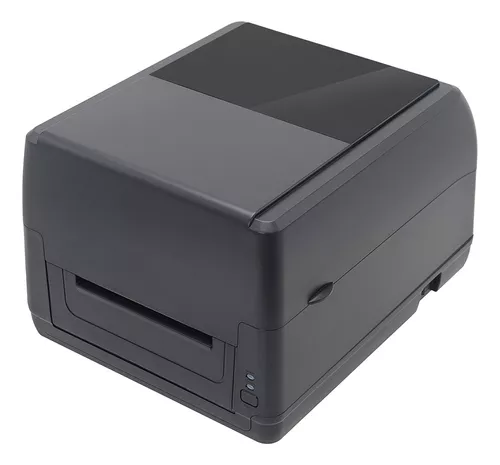
A thermal receipt printer is an important investment for businesses that rely on fast and accurate transaction processing. Retail stores, restaurants, and service businesses often use receipt printers throughout the day, making proper care essential for maintaining reliable performance.
Regular maintenance and correct usage can help prevent common problems, improve print quality, and extend equipment lifespan. Businesses using solutions like Xprinter Thermal Receipt Printer can benefit from following simple best practices that support long-term efficiency and consistent operation.
1. Use Compatible Thermal Paper
Using the right thermal paper is one of the easiest ways to protect a receipt printer. Poor-quality or incompatible paper can create residue, affect print clarity, and increase wear on internal components.
For better performance:
- Choose the correct paper size
- Use high-quality thermal paper
- Avoid damaged or expired paper rolls
- Store paper in a cool and dry place
Quality paper helps maintain clear printing and reduces unnecessary maintenance.
2. Clean the Printer Regularly
Dust, paper particles, and residue can build up inside the printer over time. Regular cleaning helps maintain print quality and prevents mechanical issues.
Important cleaning areas include:
- Print head
- Paper path
- Rollers
- Exterior surfaces
Cleaning should be performed carefully using suitable tools to avoid damaging sensitive components.
3. Avoid Overloading the Printer
Although thermal receipt printers are designed for business environments, excessive use beyond recommended limits may reduce performance over time.
Businesses should:
- Monitor daily printing volume
- Allow proper ventilation
- Avoid unnecessary continuous operation
- Follow recommended usage guidelines
Using the printer within suitable limits helps reduce stress on internal parts.
4. Keep the Printer in a Suitable Environment
The surrounding environment can affect printer performance and durability.
Avoid placing the printer in areas with:
- Excessive dust
- High humidity
- Direct sunlight
- Extreme temperatures
- Liquid exposure
A clean and stable workspace helps protect the printer and improves reliability.
5. Handle Paper Rolls Correctly
Incorrect paper installation can cause jams and feeding problems. Proper handling ensures smoother operation.
When replacing paper:
- Turn off the printer if required.
- Open the paper compartment carefully.
- Insert the roll in the correct direction.
- Pull the paper slightly forward.
- Close the cover securely.
Correct installation reduces unnecessary strain on printer components.
6. Check Cables and Connections
Stable connections are important for reliable printing. Loose or damaged cables can cause communication problems and interruptions.
Regularly inspect:
- Power cables
- USB connections
- Network cables
- Wireless settings
Replacing damaged accessories helps maintain consistent performance.
7. Update Drivers and Software
Printer software plays an important role in communication between the printer and connected systems.
Keeping drivers updated can help:
- Improve compatibility
- Fix connection issues
- Support system updates
- Maintain reliable performance
Regular software checks prevent avoidable technical problems.
8. Use Proper Print Settings
Incorrect settings can affect printing speed and quality. Adjusting settings based on business requirements helps optimize performance.
Consider reviewing:
- Print density
- Paper size
- Printing speed
- Receipt formatting
Proper configuration helps balance performance and print quality.
9. Perform Regular Test Prints
Routine testing allows businesses to identify potential issues before they affect customers.
Test printing can help check:
- Print clarity
- Paper alignment
- Connection stability
- Printer response
Early detection makes troubleshooting easier and reduces unexpected downtime.
10. Replace Worn Parts When Needed
Like any equipment, some printer components may wear out after extended use.
Signs that parts may need replacement include:
- Poor print quality
- Frequent paper jams
- Unusual sounds
- Inconsistent operation
Replacing worn components at the right time helps maintain reliable performance and prevents larger problems.
Common Mistakes That Reduce Printer Lifespan
Businesses should avoid practices that may damage their receipt printers, including:
- Using incorrect paper types
- Ignoring regular cleaning
- Pulling paper forcefully during jams
- Blocking ventilation areas
- Allowing dust buildup
Small changes in daily handling can significantly improve equipment durability.
Conclusion
Extending the lifespan of a thermal receipt printer requires regular care, proper handling, and preventive maintenance. Using compatible paper, maintaining a clean environment, checking connections, and following correct operating practices can help businesses achieve better performance and fewer interruptions.
By applying these best practices, companies can protect their printing investment, improve reliability, and ensure smooth daily operations for years to come.